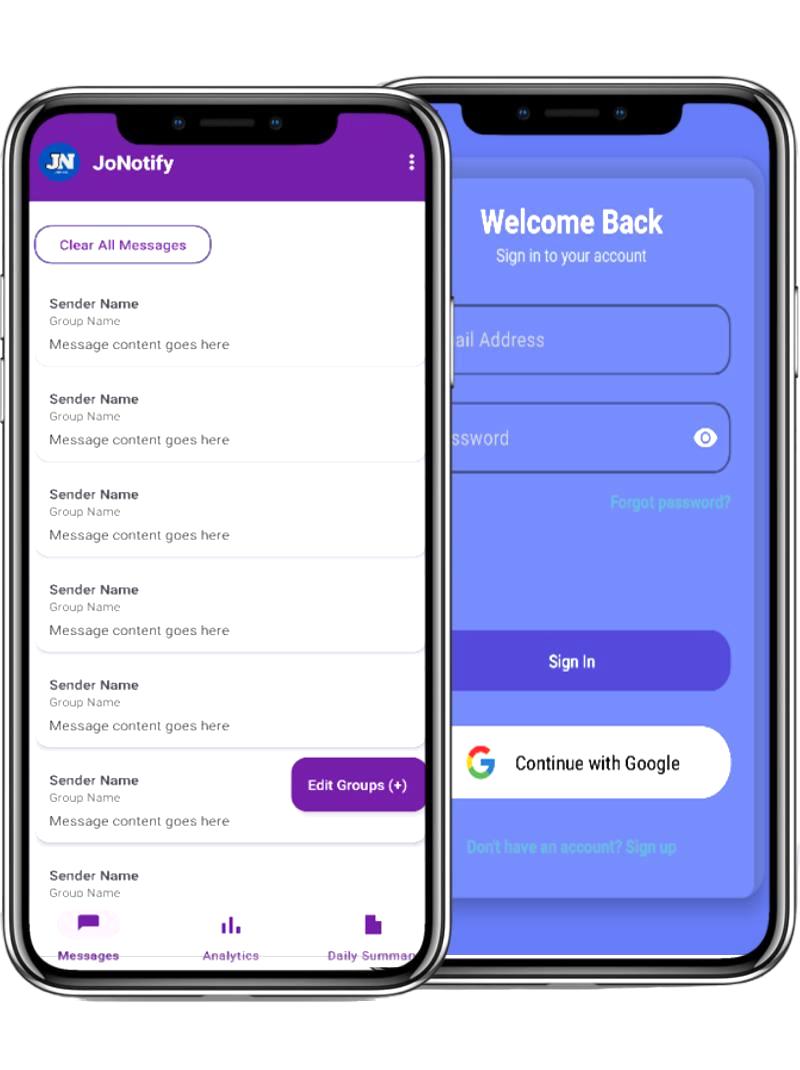
Create an account to access the app
First time app users will receive messages from ALL Group Chats (By default), users are now meant to filter messages from specific groups of their choice, by clicking on Filter Groups button.
Users can view analytics about their most active group chats and most active senders
Users can Edit/Delete selected groups at any time by clicking on the Filter Groups button.
You can clear current messages in the app, but it won't affect your Filtered Groups, so don't worry.
The app provides an AI-powered summary of your messages, helping you stay informed about the most important updates without having to read through all the messages.
JoNotify saves you the stress of having to go through bulky WhatsApp group chat messages, you can just single out a specific group and a specific sender you want to be receiving messages from.
- DnD (Do not Disturb) mode must be turned off on your phone.
- The App requires Internet Connection to work properly.
- The App requires WhatsApp to be installed on the device.
- The WhatsApp group chat must NOT be muted or archived or the app won't
work properly.
- If your phone switches off or battery dies, the app might not
retrieve any messages(and may require an App Refresh), any messages sent during that period
might also not be retrieved.
If all requirements are met, then you should not experience any
major issues.
However, in some cases, some phones may have battery optimization
settings that may interfere with the app's background processes and
slow network connections may also affect the app's performance.
Unfortunately, the app is only available for Android devices.
Every User Account is stored in a well secured and trusted database server. To ensure the security of your data, each account
JoNotify ensures that your data and messages are kept private, the app does not share private information to any third-party service.
JoNotify allows you to only get messages from a specified person or contact in a WhatsApp Group Chat.
How to use the app